Mobile Tickets
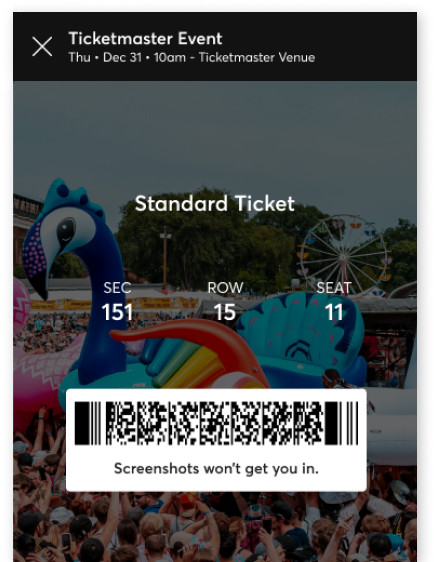

Mobile tickets are downloaded directly to your phone. No need to print or search through your emails - find them in your Ticketmaster account and on the app, or save them to your mobile wallet.
How Do I Use Them?


1. Download the app

2. Your ticket will be in My Account
3. Choose ‘Transfer Tickets ’. Make sure to transfer every ticket that isn't yours

4. Your friends will get an email to accept their ticket

5. Scan your tickets at the venue



6. Enjoy the show!
What’s So Good About Mobile Tickets?
Less Waiting
You no longer need to wait for your tickets in the post. They’re saved on your phone as soon as you buy them. For some events, your mobile barcodes may not be available instantly. Don't worry, you'll have your ticket on your phone by event day.
Easy To Sell
Did your plans change and you can’t go? Mobile tickets are easy to sell to another fan. Do it directly from your Ticketmaster account.
Ticket Transfers
Are you the organised one who buys tickets for everyone else? Mobile tickets let you transfer directly to your group, so you can relax and head in to the venue completely stress-free.
The Trees Will Thank You
Paperless tickets are an easy way to go green.
Transfer Tickets in Three Easy Steps
- 1. In your Ticketmaster account, find the event you'd like to transfer tickets for.
- 2. Tap ‘Manage Tickets’, select the ticket(s) you’d like to send and enter the recipient’s info.
- 3. We’ll send an email to your recipient to accept their tickets in their account.

Need to cancel a transfer? If the ticket hasn’t been accepted, there’s still time! Simply select the ticket and ‘Cancel Transfer’
FAQs
Mobile tickets are easier, safer and better than print-outs or paper tickets. Here are some answers to questions that are often asked.
-
No. A mobile ticket must be provided either within the app, the mobile website or your phone’s wallet to gain entry. Additionally, you can’t forward tickets using a screenshot.
-
Your ticket has you covered. Once you view it in the Ticketmaster App, your ticket is automatically saved so it’s always ready to be scanned, even in offline mode.
You can also save your ticket to your phone's mobile wallet before arriving at the event. If you have an iPhone, you can store your tickets in your Apple Wallet. If you’re an Android user, you can save your tickets to your phone through Google Pay. -
If you lose your phone, have a cracked screen, or run out of battery - don’t worry. Simply visit the box office at the venue upon arrival. Have your ID and order number ready and you’ll be issued a physical ticket.
-
It’s easy, just follow these steps:
• Using the Ticketmaster app, sign into your account
• Select ‘My Events’, then tap the event you’d like to transfer tickets for
• Tap ‘Manage Tickets’, select the ticket(s) you’d like to send and enter the recipient’s info
• We’ll send an email to your recipient to accept their tickets in their account
• Sending multiple tickets? Simply enter the recipient’s info, tap 'Confirm' and then 'Forward More'
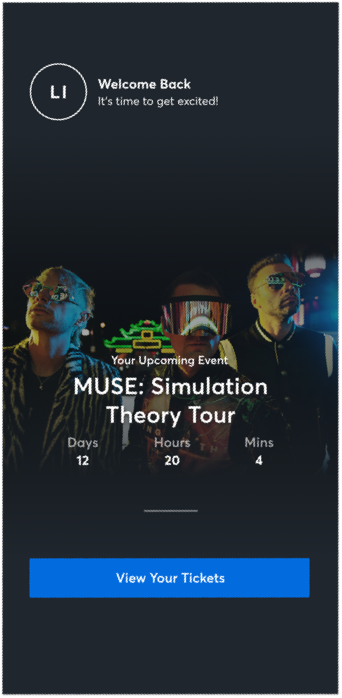
Get Our App and Get Going
Discover more of the events you love with the Ticketmaster App. No PDFs. No paper. Browse, buy and store your tickets all in the app - just turn up, scan your phone and have a great time.
Download the Ticketmaster App